
- Serhii Rushanskyi
- 2026-06-18
What is an LMS: learning management system, features and benefits
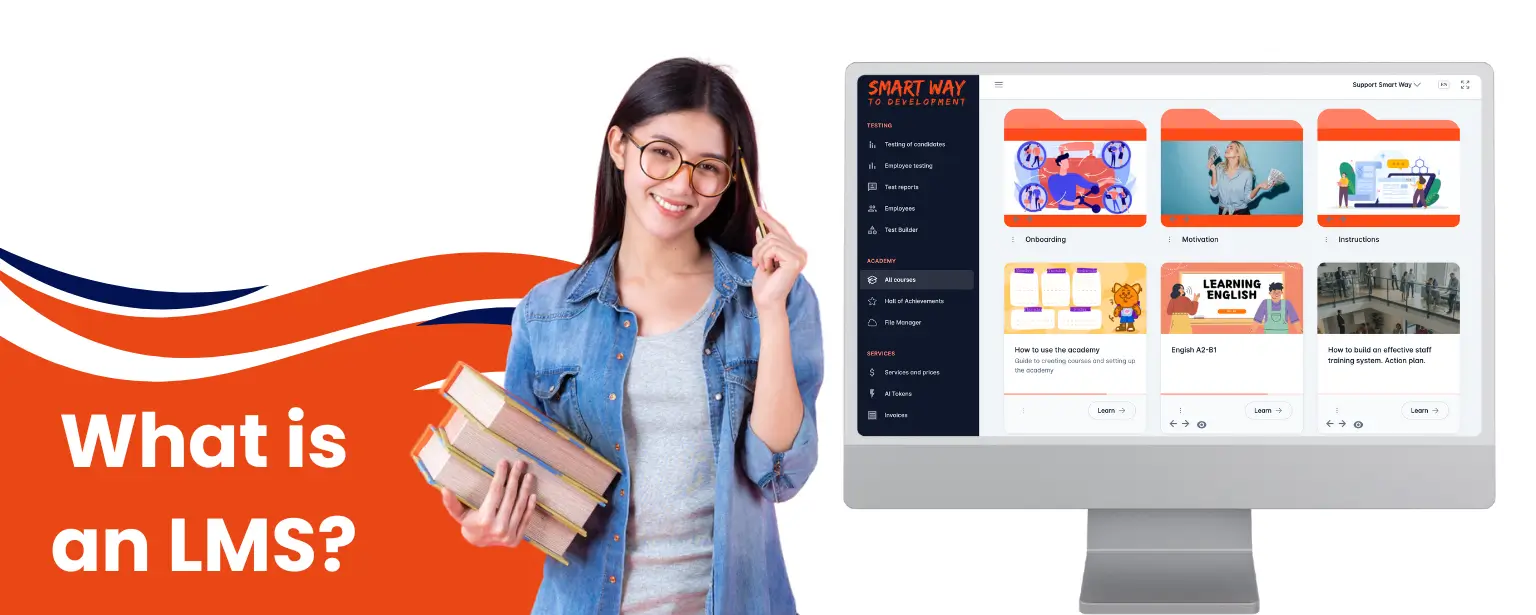
LMS (Learning Management System) is a software platform that helps organisations create courses, assign learning, run assessments, track progress and build reports. Companies use LMS for onboarding, employee training, certification, leadership development and centralised storage of learning materials; in practical terms, it is an employee training management system.
Put simply, an LMS is software for organising, delivering and measuring learning. It replaces scattered learning models, where training is often spread across spreadsheets, messengers and requires manual follow-up. Using an LMS, programmes, learners, tasks, test results and certificates are kept in one digital environment. This allows HR, L&D, managers and educators to see who is learning, what has been completed and where knowledge gaps remain.
What are the benefits of using an LMS?
- For businesses, an LMS usually supports onboarding, mandatory employee training, sales team training, workshops, knowledge checks, talent pool preparation, compliance training, management development, certification and assessment. It helps launch learning programmes faster, train different teams consistently and judge results by data rather than opinion.
- Teams use an LMS to make learning systematic, so training is managed as a process rather than a collection of disconnected materials.
- For educational institutions, this type of system helps manage materials, assignments, assessment and communication in one place. In schools, universities and training centres, learning management systems help educators manage courses, materials, tasks and student progress.
- When choosing a platform, it is worth assessing features, integrations, security, cost, mobile access, reporting and the ability to adapt the system to real workflows.
It is important to understand that a learning management system is not just a file repository. It is a tool for managing learning processes, where content, users, knowledge checks, progress and reporting are connected.
An LMS allows an organisation to assign training, support different learner groups and provide managers with a shared view of progress. It also supports scalable learning because the same workflow can be reused for onboarding, compliance training, product knowledge and professional development.
What does an LMS do, and what are the key features of an LMS?
The main features of an LMS generally cover course creation, learning assignments, testing, learner progress tracking, certification, communication and analytics. This is what separates a full learning management system from a folder of slides or a standalone video lesson service. A well-chosen LMS solution also helps streamline user management, integrate with HR systems and connect learning data with other business systems.
| Feature | What it provides |
|---|---|
| Course creation | Helps structure learning materials into lessons, modules and programmes. |
| Learning assignments | Allows training to be assigned to individual users, specific roles, groups or departments. |
| Testing | Confirms whether the material has been understood, supports certification and helps control knowledge quality. |
| Analytics | Shows progress, knowledge check results, programme completion and problem topics. |
| Certification | Confirms learning completion and helps record permissions, qualifications or formal readiness. |
| Communication | Notifies participants about tasks, deadlines, new materials and results. |
| Integrations | Connects the platform with HRM, CRM, SSO, corporate email, calendars and other company systems. |
Content management, learning content and course management
In this environment, organisations can upload videos, PDFs, presentations, documents, interactive tasks, training material and SCORM packages, or create materials directly in an editor. If the organisation uses standardised e-learning content, it is worth checking SCORM or xAPI support. These standards help transfer learning completion data between content and the platform, and support consistent content quality.
How LMS testing, assessment and certification work
Training without any assessment quickly becomes a formality. A good system should therefore support control tasks, learning activities, assignments, time limits, multiple attempts, pass marks, certificates and reports for the people responsible for training. This gives each learner a clearer learning journey, and gives managers a reliable view of completion rates and learning outcomes.
Modern platforms may also use AI to help prepare course structures, test questions or quick answers in a knowledge base. These functions should be viewed not as a replacement for an expert, but as a way to speed up routine preparation of learning materials.
How does an LMS work compared with a distance learning system and other online platforms?
An LMS is broader than a basic distance learning system because it manages the full cycle: from creating a programme, assigning learners to testing, certification and reporting. A distance learning system or online platform may only give access to materials and require manual tracking of learning and results. In comparison, a complete learning environment helps manage training as a complete process. In practice, an LMS is used to connect content, learner access, evaluations, reporting and follow-up in one workflow.
| Criterion | LMS | Distance learning system or online platform |
|---|---|---|
| Main role | Manages the full learning cycle. | Provides access to online materials or sessions. |
| Progress control | Programmes, deadlines, learner progress, tests, certificates and reports. | May be limited or absent. |
| Business scenarios | Onboarding, workshops, certification, compliance and employee development. | Online lessons, webinars, access to files or video. |
| Analytics | Detailed reports by user, group and programme. | Often limited to basic viewing or attendance statistics. |
It is also useful to distinguish related concepts. A learning experience platform, or LXP, focuses more on a personalised learning experience, an LRS stores learning records, and a knowledge base helps people find information but does not always manage courses, tests and certification.
What is the difference between a Learning Management System and Learning Experience Platform?
An LMS is designed to manage structured learning: courses, learner enrolment, assignments, evaluations, certificates and reporting. An LXP, or learning experience platform, however, is more focused on discovery, recommendations, social learning and personalised learning experiences.
In many organisations, the LMS remains the system of record for required training and compliance, while an LXP is used to broaden learning opportunities and encourage self-directed development.
A learning content management system is different again: it is usually more focused on creating and managing learning content, while an LMS provides the operational workflow for learners, assignments, assessment and reporting.
What are the benefits of using an LMS for learning and business?
The main benefit of an LMS is control over learning. The organisation sees not only that materials were sent, but also who opened them, what they completed, which evaluations they passed and where extra support is needed. In addition, an LMS also provides:
- Faster onboarding: New starters receive the same onboarding programme, while managers see progress without manual reminders.
- Standardised knowledge: All teams and learner groups learn from current materials, and updates can be made centrally.
- Time savings for HR and L&D: Automatic assignments, knowledge checks, reminders and reports reduce manual work and streamline learning and development administration.
- Clearer results: Analytics show which courses work, where completion drops and which topics need improvement.
- Flexibility for participants: People can learn from a computer, tablet or smartphone if the platform supports an adaptive interface.
- Scalability: One programme can serve tens, hundreds or thousands of users without a matching increase in manual administration.
For business, the benefits of an LMS include better control over onboarding, workshops and knowledge checks.
For education, it creates a clearer process for educators and learners, more transparent assessment and faster access to materials.
In the UK market specifically, the need for structured training is measurable. The Employer Skills Survey 2024 reported that 59% of UK employers had provided training in the previous 12 months, 63% of employees received training, and 12% of employers still had at least one member of staff with a skills gap. These figures make reporting, completion rates and clear learning outcomes more than administrative details: they show whether training activity is actually reaching the workforce.
What types of LMS are available?
The main types of learning platform differ by hosting model, licence, audience and level of flexibility. Before choosing a model, it is important to understand which model best fits the budget, IT resources, security requirements and number of users.
| Type of platform | When it fits | What to check |
|---|---|---|
| Cloud-based LMS | For a fast launch without maintaining your own server infrastructure; the LMS is hosted by the provider. | Subscription cost, security, support, integrations and scalability. |
| On-premise system | For organisations with strict data control requirements, when the LMS is installed and materials must be hosted on the organisation's own servers. | An IT team, servers, updates, stability monitoring and technical support are required. |
| Open-source type of LMS | When there is a technical team to configure and support the system. | A free core does not mean there are no implementation costs. |
| Commercial platform | When a ready-made solution, support and quick launch are required. | Functionality, price transparency and support quality should be assessed. |
| Corporate learning platform | As an LMS for employee training, onboarding, certification and HR analytics. | Roles, reports, automatic assignments and knowledge checks are important. |
| Educational platforms | For schools, universities, educators, students and training centres. | Assignments, assessment, communication and group management matter most. |
How to choose the right LMS for your needs
If you need an LMS platform for business, choose it based on real scenarios rather than a long list of features: who needs to be trained, which knowledge must be checked, which reports managers need and how much manual work should be negated after LMS implementation. The best LMS is not the one with the longest feature list, but the one that best fits your learning process, learner groups and reporting needs.
When you choose an LMS, compare the LMS provider's implementation support, data export, reporting depth and ability to adapt to your roles. Do not start by searching only for the best learning management systems or trying to choose the best LMS by brand recognition; start with the training programme, learners, reporting needs and operational constraints.
LMS selection checklist
- Define the main task: onboarding, workshops, certification, manager development, compliance or customer training.
- Describe user and learner roles: HR, L&D, managers, educators, employees, partners or students.
- Check whether materials can be adapted for different roles, departments, groups and access levels.
- Assess how easy it is to create courses, tests, assignments and certificates.
- Check analytics: progress, student or employee performance, test results and team reports.
- Clarify integrations, security, cost, support, user import and report export options.
- Record mobile access and offline scenario requirements separately. Not every solution supports these modes, so they should be tested before launch.
- Run a pilot with a small learner group and check whether the platform genuinely reduces manual learning support.
During a demo, ask to see the full process rather than only a polished interface: creating a course, assigning it to a group, completing a test, viewing a manager report and updating materials.
What are common examples of LMS platforms, such as Moodle and Google Classroom?
The market includes different LMSs and related educational platforms. They should not be judged by popularity alone: the use case, technical resources, budget, support, customisation options and administration requirements matter more.
- Moodle is a well-known open-source LMS, often used by educational institutions and organisations with their own technical resources.
- Google Classroom is an educational service for managing classes, assignments and interaction between educators and students.
- Corporate SaaS solutions are ready-made platforms for business, onboarding, employee training, testing and reporting.
- Industry-specific or custom systems are solutions adapted to the specific processes of a large organisation.
If the main task is corporate learning, check not only whether courses exist, but also automatic assignments, testing, roles, analytics, certification, integrations and manager support. Different learning contexts need different LMSs: an academic LMS, a corporate LMS and a self-hosted LMS may solve very different problems.
Is Canvas considered an LMS?
Yes, Canvas is generally considered an LMS because it manages courses, learners, assignments, communication and progress tracking. The more important buyer question is not whether a named platform fits the LMS category, but whether the platform supports your required learning workflows, reporting model and implementation constraints.
What is the most commonly used LMS?
There is no single most commonly used LMS for every market, sector and organisation size. Usage varies between education, corporate learning, public-sector training, open-source deployments and commercial SaaS platforms. Instead of choosing a system because it is widely recognised, compare the type of LMS, learner experience, reporting, integrations, support and fit with your training programme.
What are LMS platforms used for in online learning?
Online learning means that a person accesses materials, assignments, tests, communication and feedback through digital tools. This may be a learning management system, video platform, webinar service, knowledge base, corporate messenger or mobile application. LMS platforms provide a more structured way to deliver training than a set of disconnected apps.
However, a set of separate applications does not always replace a full learning environment. For example, a video service helps someone watch a lesson, a messenger helps them ask a question and a spreadsheet helps collect statuses, but only a specialised system combines content, assignments, control, knowledge checks and reporting in one process.
For field teams, remote employees or staff with unstable internet, remote learning and mobile learning scenarios should be assessed separately. If offline mode, downloadable materials or a native app are required, make this a separate platform requirement and test exactly how it works during the demo.
Digital access also shapes LMS implementation in the UK. Ofcom's Online Nation 2025 report found that 95% of the UK population aged 16 and over had internet access at home, while UK adults spent an average of 4 hours 30 minutes online per day on personal devices. This supports the case for mobile-ready learning content, but it does not remove the need to check accessibility, device use, learner support and reporting before rollout.
What LMS implementation risks and disadvantages should you consider?
A platform only delivers results when it is implemented as part of the learning process, not as another service for storing files. The main disadvantages are usually linked not to the technology itself, but to the wrong choice, weak methodology or the absence of a responsible process owner.
- Complex implementation: If the platform is overloaded or takes a long time to configure, the team may never start using it regularly.
- Formal learning: Courses without tests, practice and feedback do not guarantee that knowledge has actually been absorbed.
- Outdated content: Learning materials need regular updates, otherwise the environment quickly loses user trust.
- Low engagement: If courses are long, inconvenient or disconnected from real work, people complete them only formally.
- Hidden costs. Some systems require extra spending on administration, customisation, integrations or support.
To avoid these problems, start with one or two priority scenarios, run a pilot, collect feedback and only then scale the system across the whole company.
What LMS development trends are expected in the coming years?
The most visible LMS trends are AI, microlearning, mobile access, personalised learning paths, gamification, integrations with HR systems and deeper analytics. Companies now expect a platform to do more than host materials; they expect it to help manage skills, productivity, continuous learning and professional development.
AI and automation
AI helps prepare course structures, lesson drafts, test questions and knowledge base answers more quickly. An expert still needs to review quality, but routine preparation can take less time.
Microlearning and mobile access
Instead of large courses, organisations increasingly use short lessons that can be completed between work tasks. An adaptive mobile interface is important for teams that do not learn strictly at a work computer, and different learning styles may require short videos, quick checks, practical tasks or blended learning.
Skills analytics
Reports are gradually moving from a simple "completed/not completed" status to analysis of competencies, gaps, repeated mistakes and the impact of learning on work performance.
How Smart Way LMS helps organise employee training
Smart Way is a corporate LMS system for systematic learning, onboarding, knowledge verification and HR analytics. Its main advantage for business is that HR and L&D teams can launch learning processes without complex implementation: creating courses, automating assignments for teams, verifying knowledge and seeing results in reports.
The platform supports scenarios for onboarding, sales team training, service standardisation, leadership development, a knowledge base and talent pool preparation. The official Smart Way page describes automatic assignments, courses and a knowledge base, knowledge checks, analytics, reports, mobile access through an adaptive interface and an AI assistant for course creation.
If a company is just starting implementation, it is worth choosing one practical scenario, such as new starter onboarding or a knowledge check after product training. After the pilot, it becomes easier to understand which materials work, which questions need to be changed and which reports managers need.
For knowledge confirmations, companies can use Smart Way's employee testing capabilities. They help assess knowledge after training.
Conclusion: How to move towards choosing the right LMS
An LMS is not simply software for online courses. It is a system that helps manage learning, check knowledge, see progress and scale people development without chaos in spreadsheets, files and messengers.
If you are choosing a platform for business, start with the task rather than the features. Describe who you need to train, which materials already exist, what type of knowledge check is required, who needs to see reports and what result will count as success.
Then run a short pilot. Create one course, assign it to a small group, test assessment, reports, mobile access and user response. This approach helps you choose a solution that truly fits the organisation's needs, rather than one that only looks convincing in a presentation.
If you want to see how this works in corporate learning, book a free online presentation of Smart Way LMS and test the platform against your own scenario.
FAQ about LMS
What is an LMS platform?
LMS stands for Learning Management System. An LMS platform is a system for organising, automating and controlling learning. It helps create courses, assign materials, run tests, track learner progress and build reports for HR, managers, educators or learning managers.
Is Moodle an LMS?
Moodle is a well-known open-source LMS. It is often used by educational institutions and organisations that have resources for configuration, administration and technical support. It belongs to the learning management system category, but usually requires more technical involvement than ready-made commercial SaaS platforms.
What is a distance learning system?
A distance learning system is a digital environment for online learning. It may include video lessons, assignments, tests, webinars, materials and communication. An LMS is a broader type of such system when it also manages users, progress, reports and certification.
What is included in an e-learning platform?
An e-learning platform may include courses, lessons, videos, presentations, documents, tests, assignments, certificates, reports, communication tools, a knowledge base and progress analytics.
How do you choose the right learning system for business?
First define the business task: onboarding, workshops, certification, manager development or knowledge control. Then check whether the platform supports the required roles, learning programmes, knowledge checks, reports, integrations, security, mobile access and scalability.
How is an LMS platform different from a distance learning system?
An LMS covers the whole learning process: course creation, user assignment, completion, testing, certification and analytics. A distance learning system may be limited to access to online materials or sessions without managing the full learning cycle.
Which LMS disadvantages should you consider?
The main risks are complex implementation, outdated content, formal course completion, hidden costs and low user engagement. They can be reduced by starting with a pilot, assigning a process owner and regularly updating learning materials.