

When you create a Company account, the academy is automatically created with standard values for the name and slogans. You need to change them to your own values.
To change them:
-
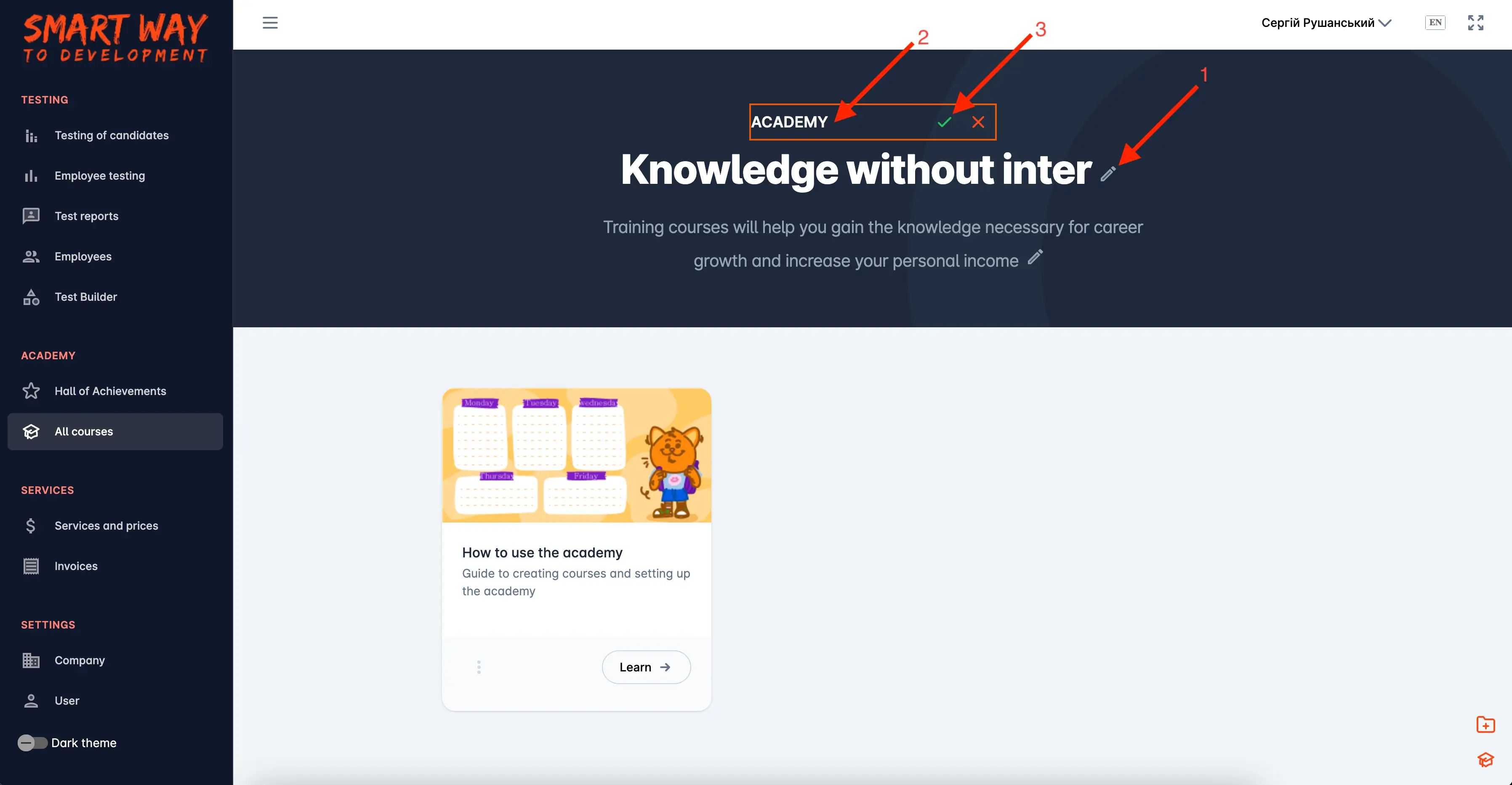
click the pencil icon located to the right of the text;
-
enter your custom values;
-
click on the green checkmark to save your changes. If you decide not to save the changes, click the red cross icon.
Important! Changes must be made in all language interfaces. For example, first make changes in English when your system language is English. Then switch to another language and make changes in the newly selected language. If you do not make changes in all language interfaces, the default value will be displayed where you do not make changes.