

To create a new training course:
-
Click the button with the graduation cap icon in the lower right corner of the screen.
-
A pop-up window will open. Make sure to enter the course name (this can be changed later) and optionally provide a course description (this can also be changed or added later).
-
Click on the "Create" button.
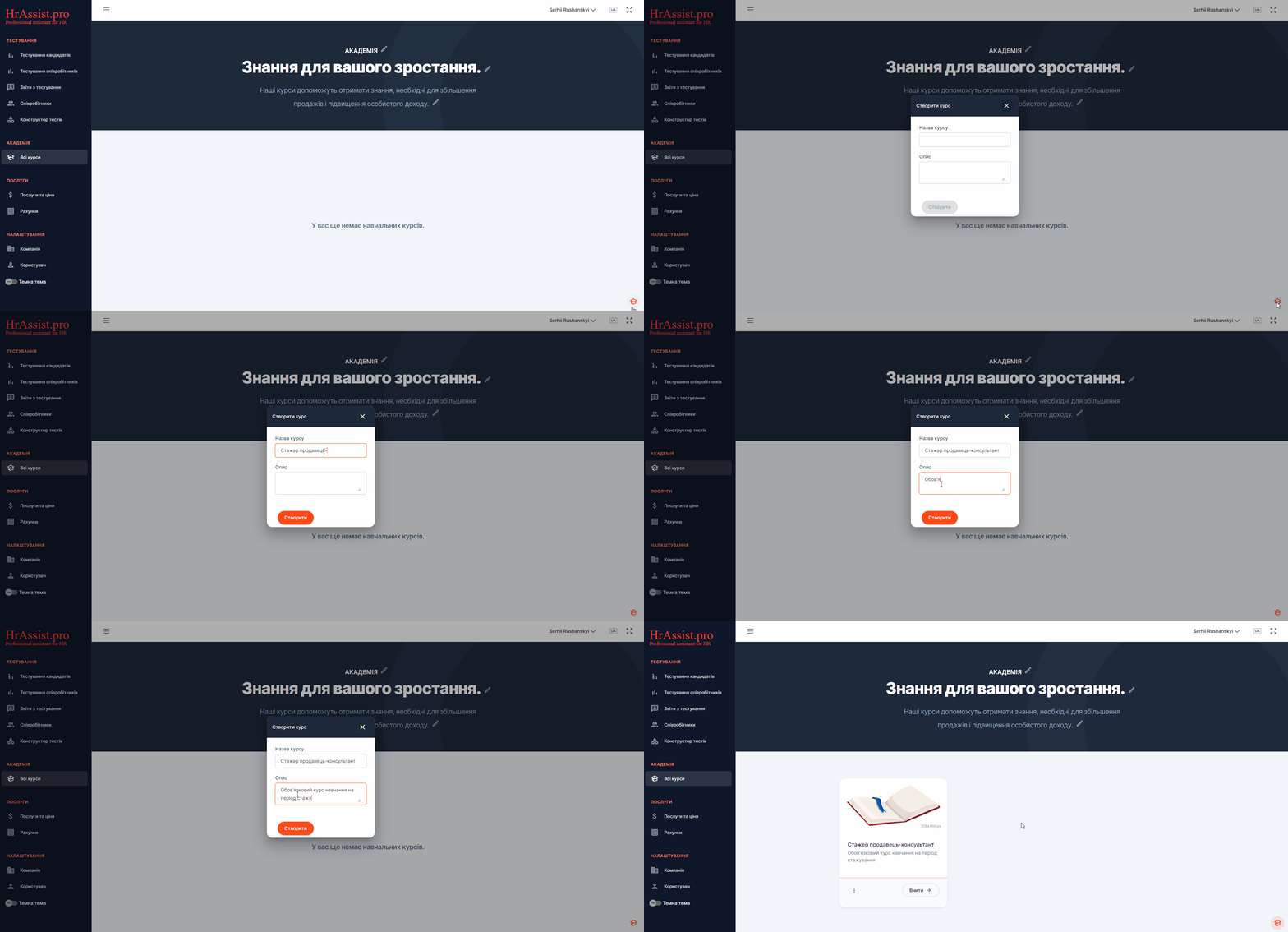
This will create an empty training course that you will need to fill with content later.
Note. A course is created simultaneously in all language versions of the Academy. If you plan to translate the course into other languages, you will need to update the title and description in the selected language (details will be provided in the lesson ‘Multilingual courses’).