To create new lessons, you must first enter the Course Editor:
-
Click the three dots on the course card.
-
In the pop-up menu, click “Edit”.
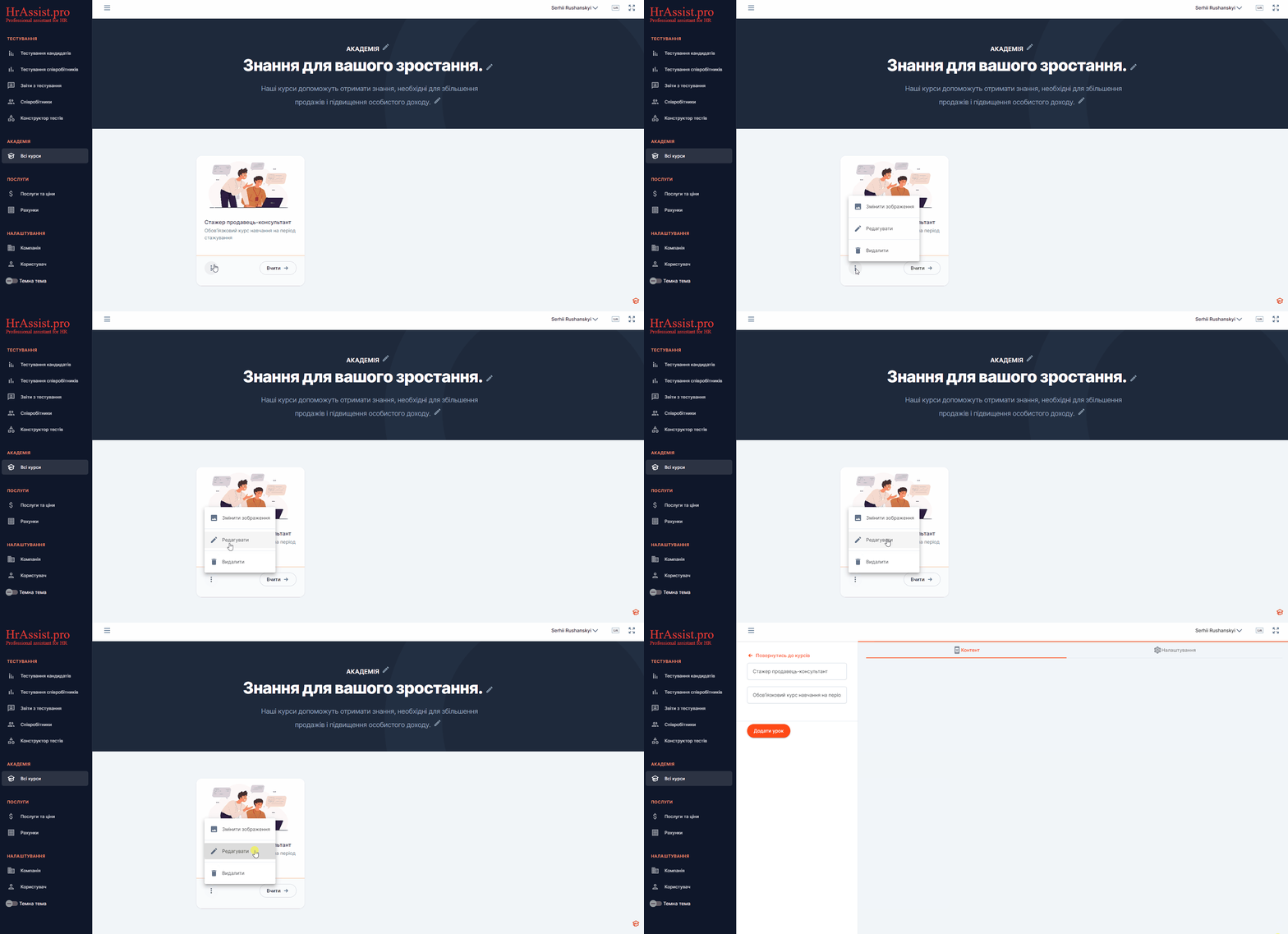
You will be redirected to the course editing page. On this page, you can create a new lesson. To do this, click the “Add lesson” button.
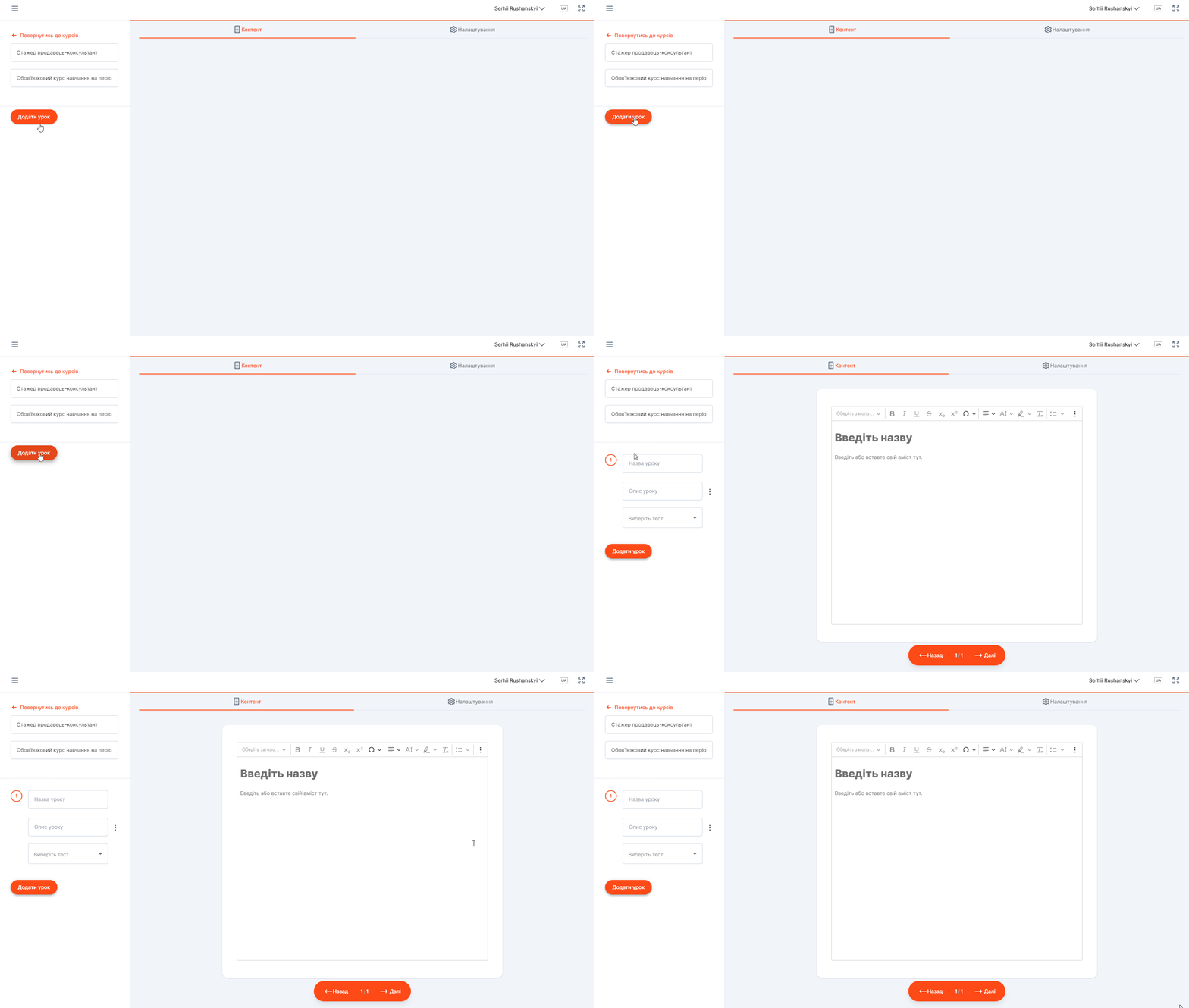
You have created a new lesson. Now, make sure to enter a title for the lesson and, optionally, a description.
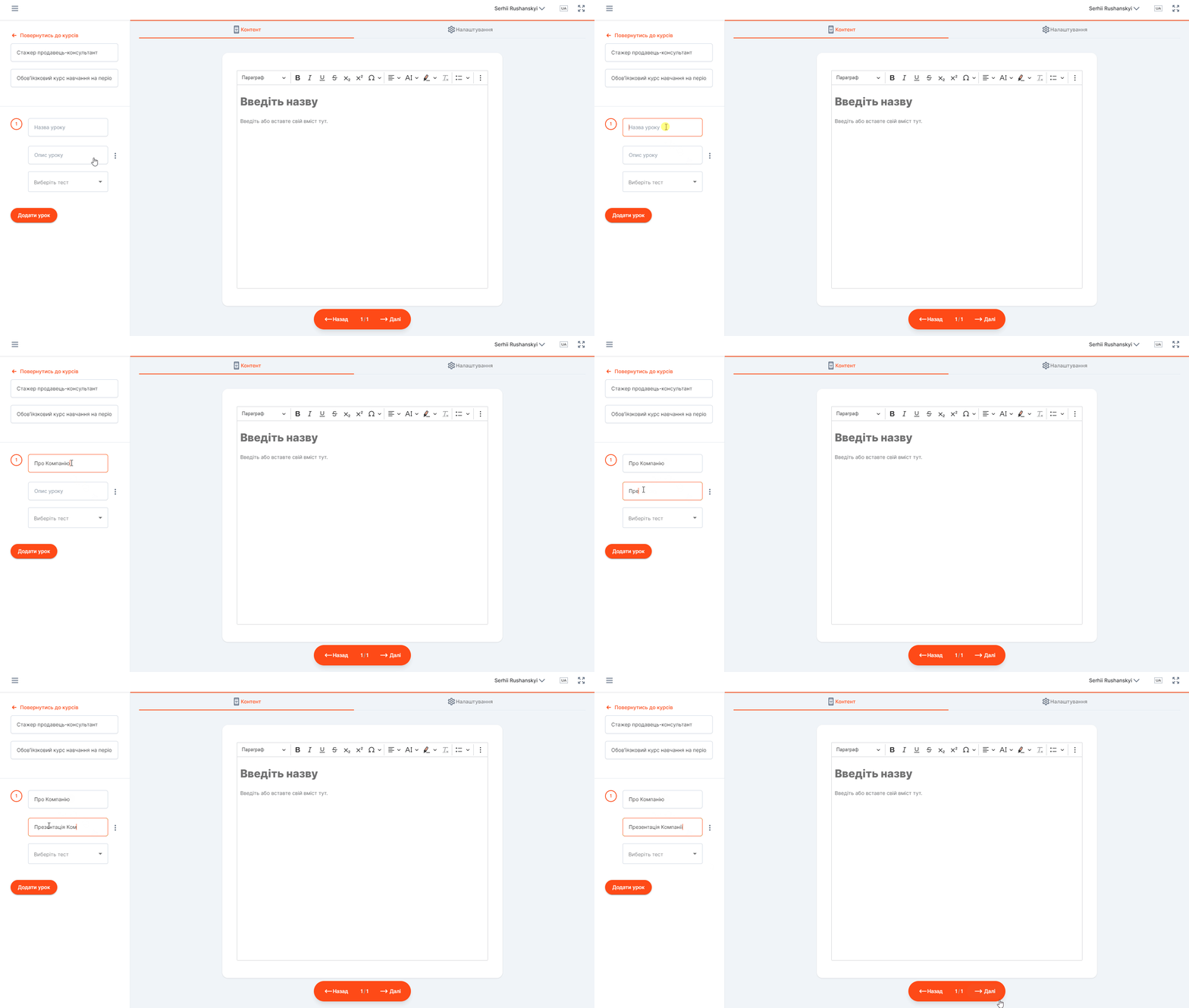
You can add a test to your lesson (see the section “Adding tests”).
Important! A test will not be added to a lesson if there is no content in it. In order for a test to be added, you need to create lesson content.