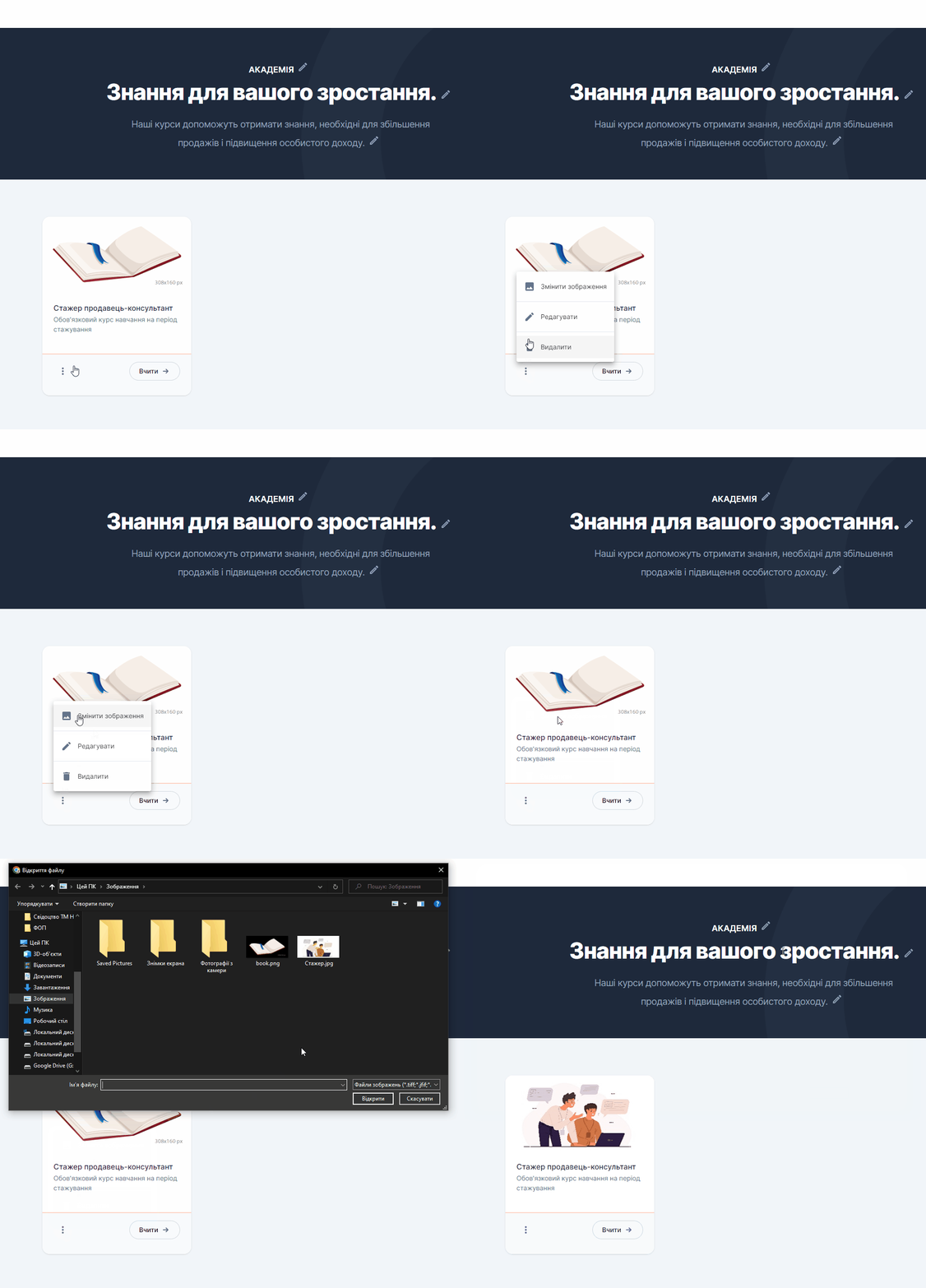
When you create a new course, it comes with a default image (book). You can change this image to a different one that suits your course better.
To change the image:
-
Create an image with dimensions of 308×160 pixels or proportional sizes. If you create an image of a different size, it is important to keep the proportions so that the image is not distorted.
-
Click the three dots on the course card.
-
A pop-up menu will open, click “Change image”.
-
A window will open; select the desired image.